 Actonics
 Tab Grouper
 Too many tabs? One click sorts them.
A Chrome extension that puts the loose tabs in your window into tab groups named after what you're doing. Changed your mind? One click puts every tab back.
How it works
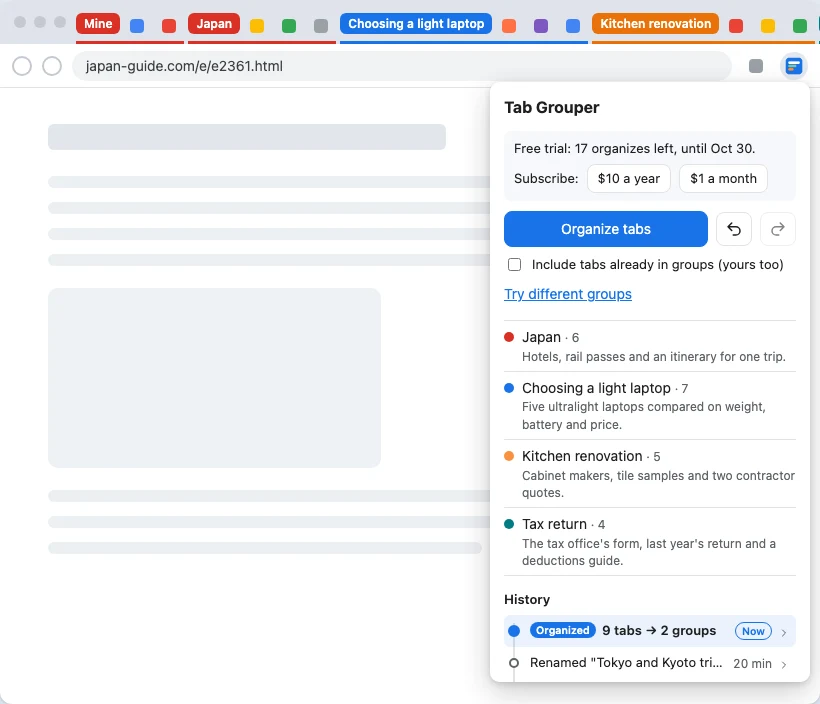
Groups named by task
Organize reads the loose tabs in your window and groups them by what you were doing: "Japan trip", "Choosing a laptop", "Tax return", each with a one-line reason.
Your groups stay yours
Groups you made by hand are left exactly as they are. Only loose tabs get sorted, unless you ask it to include the rest.
Undo, redo, and history
Every grouping change is kept, yours included. Preview what going back would change, then restore any point with one click.
Only when you click
It runs when you press Organize or Alt+Shift+G, never in the background. Incognito windows and banking, health, email and password-manager sites are never read.
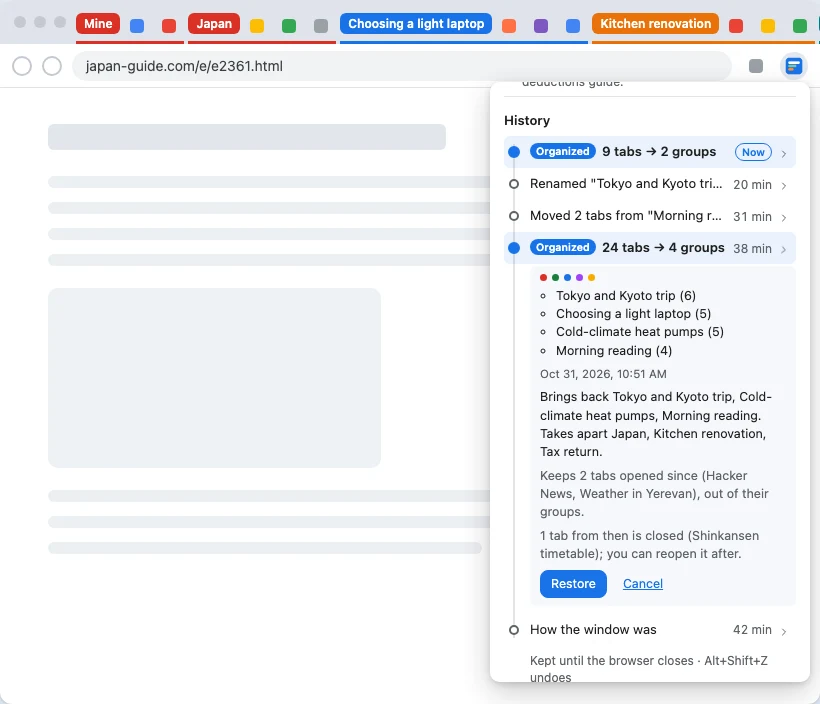
Undo anything, or go back to any point.
Every grouping change is kept, including the ones you make by hand. Pick a point in the history to see exactly what going back would change before you do it: which groups come back, which come apart, and which tabs you've opened since stay put.
Pricing
Free trial
Free
7 days or 20 organizes, whichever ends first. No card, no account.
Subscription
$10 a year
or $1 a month. Up to 60 organizes a month. Cancel any time; full refund within 14 days of a charge.
Your own OpenAI key
Free
No charge from us. OpenAI bills your account, and your tabs go straight from your browser to OpenAI.
Prices before tax. Orders are sold by our reseller, Polar, the merchant of record.
Privacy, briefly
- It reads tabs only when you click Organize, never in the background.
- Incognito windows, common banking, health, email and password-manager sites, and any site you list are never read.
- Tabs go to OpenAI to be grouped. On the subscription they pass through our server, which doesn't keep them; with your own key they go straight from your browser.
- Usage counts are off unless you turn them on, and never include addresses, titles or page text.